Utkarsh Small Finance Bank uses client-side AES response decryption with a dynamic salt retrieved via a separate SALT_GEN HTTP request. Tracing the network flow and extracting the salt allows decrypting all backend API responses directly.
The experience of encountering a web application that receives encrypted data in response is quite exhilarating. One can't help but be awed by the sheer brilliance of the application's decryption mechanism. Or at least, one hopes that the decryption is indeed secure, or that the application's developers have done everything possible to make it as hard as possible to decrypt.
Recently, I had the pleasure of stumbling upon Utkarsh Small Finance Bank's attempt at client-side decryption of response data, and let me tell you, it was a real treat.
I decided to roll up my sleeves and dive right into their source files, navigating to the source tab in search of their decrypt function. Luckily, it was right there in front of me, accepting three params like a champ: encrypted data, salt, and algorithm.
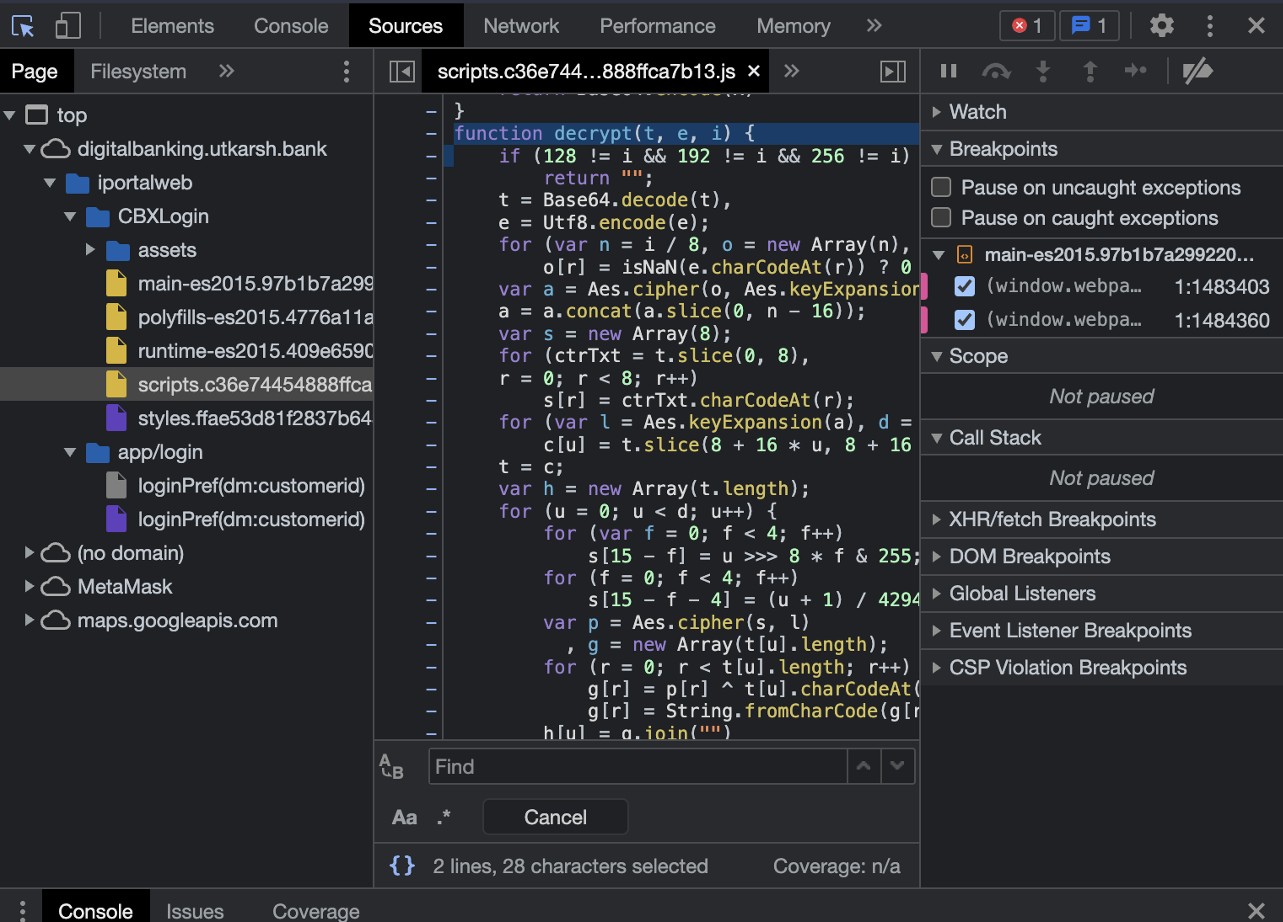
After perusing their decrypt code, I quickly identified their algorithm of choice: sha256 (HMAC-SHA256 or similar derivation for the key/salt). So, naturally, the only thing left to do was to uncover their secret salt.
I spent what felt like an eternity debugging and searching, but finally found the culprit: an object called dataSource being initialized in the constructor, with the salt value conveniently tucked away in dataSource._salt. I passed that puppy over to the decrypt function, but alas, it was all for naught. It just wouldn't work.
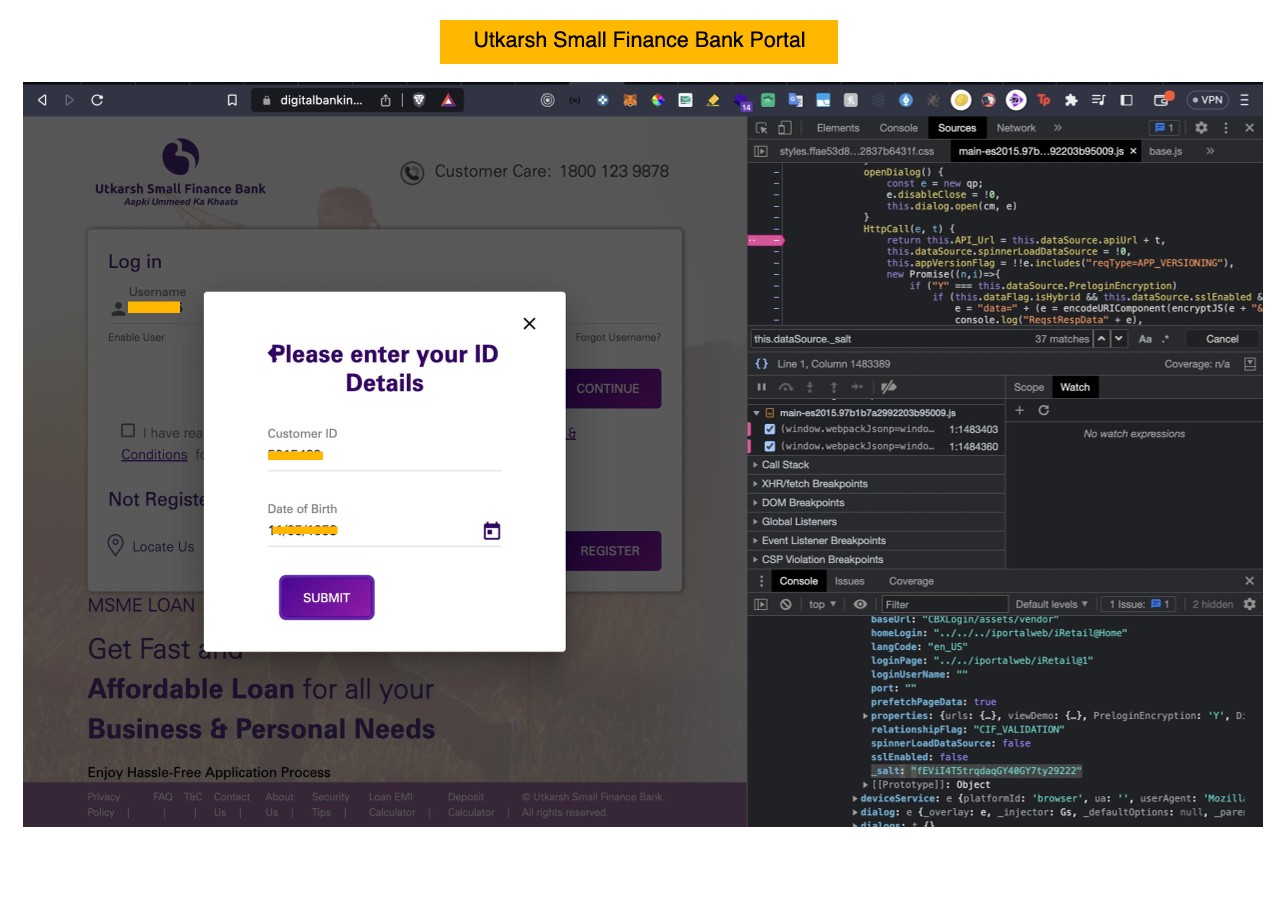
I knew I couldn't give up now, so I dug even deeper, resorting to browser debugging and adding logpoints at critical points in the code. Lo and behold, I discovered that the salt value I had found was actually a development environment value. How quaint.
With that realization, I decided to take a step back and examine the entire flow of their code. It became abundantly clear that they had defined an httpCall function that was called with every HTTP request, and the salt value was being retrieved from the response of these calls.
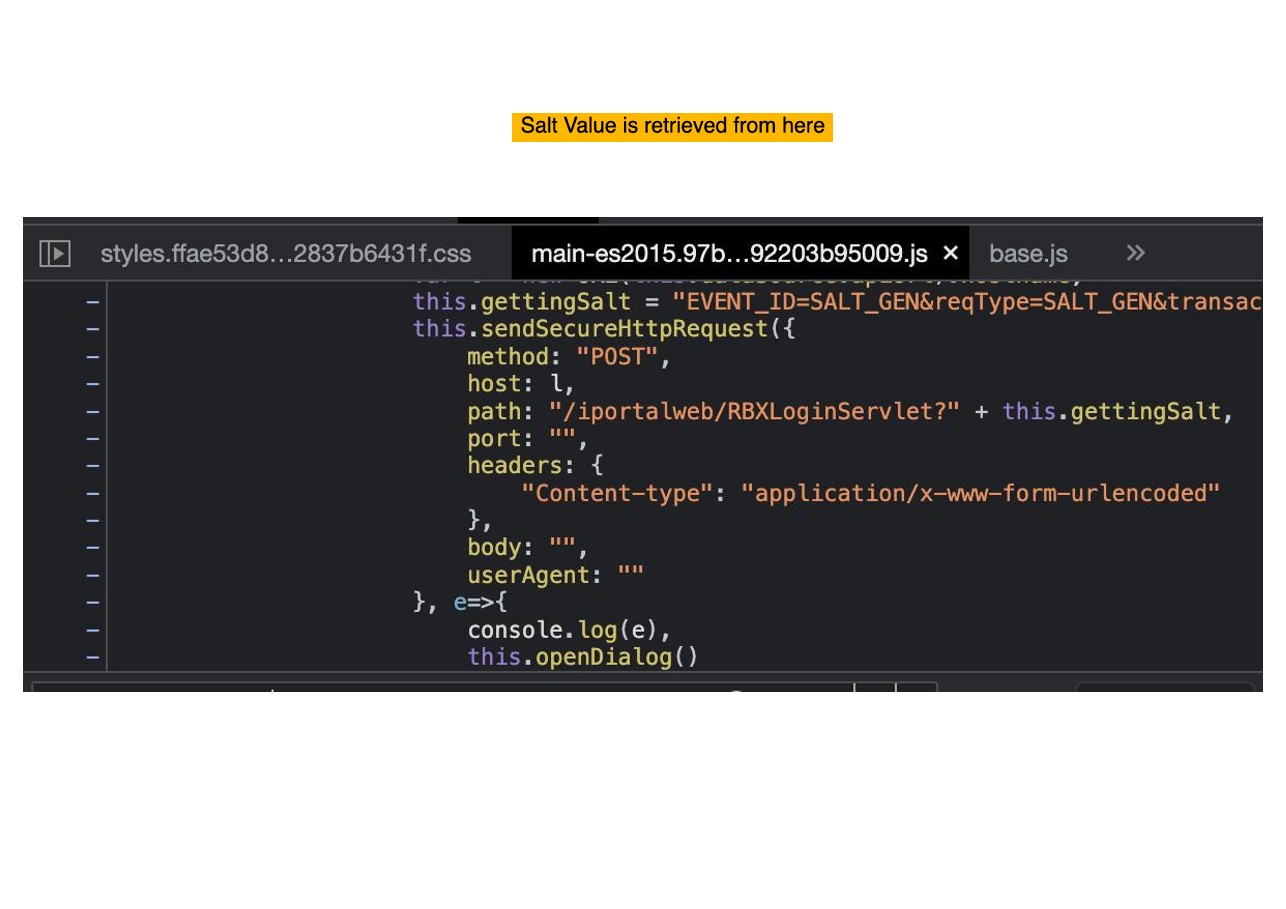
I finally hit paydirt when I added a log point at the response of the httpCall function, revealing the dataSource object in all its glory, containing all the crucial information I needed.
![Salt value assigned from response e[0].SALT](images/4.jpg)
After passing the correct salt value to the decrypt function, it finally worked. Success!
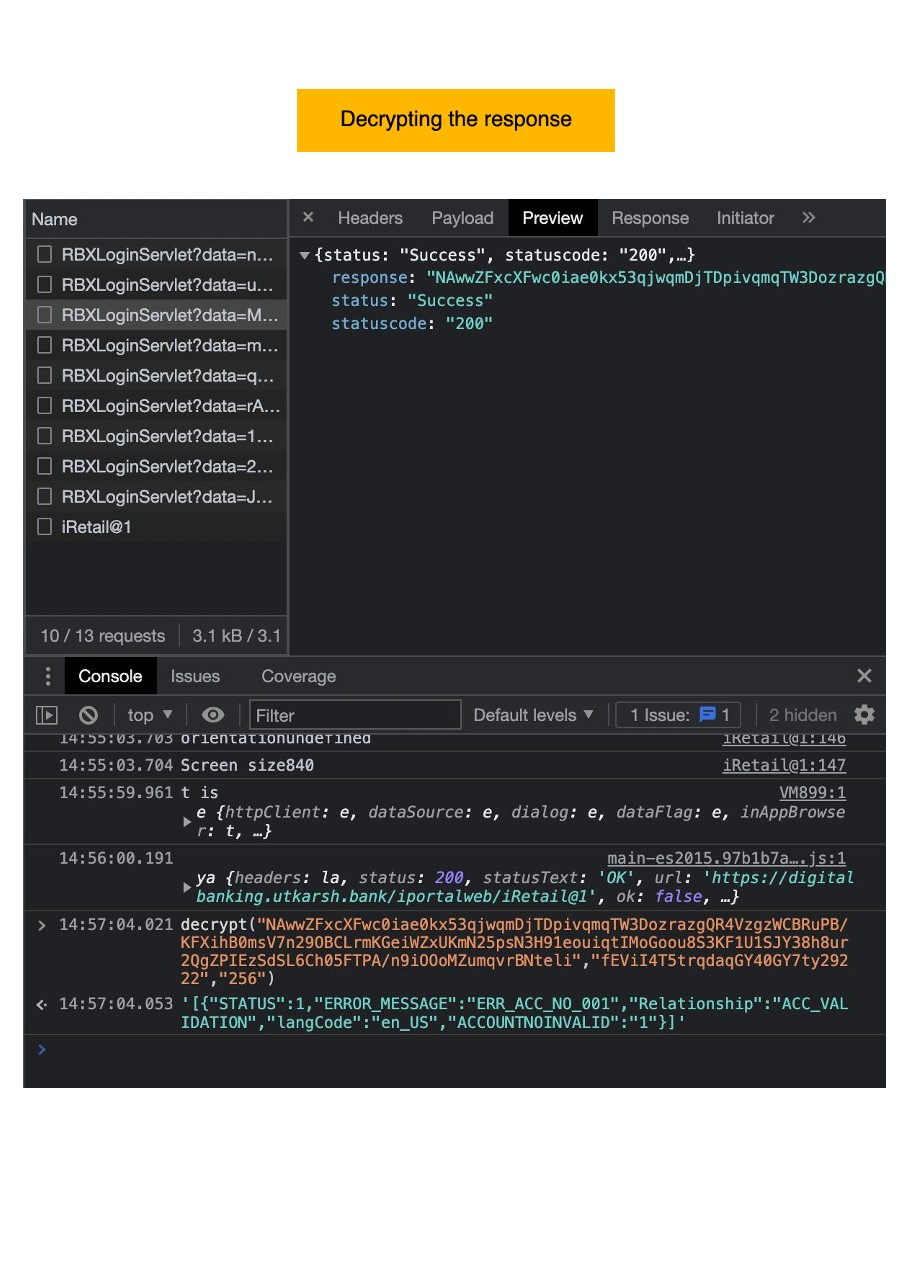
All in all, this feat of engineering took me a mere 27 minutes. It's just another day in the life of an engineering aficionado.